

How Many Devices Is It Safe to Plug into a Power Strip?
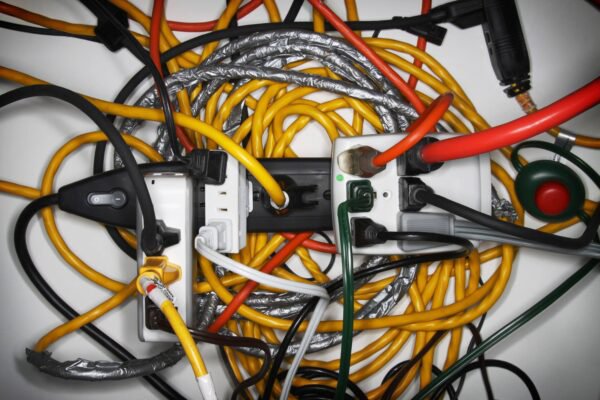
I get it—one wall socket, five things begging for power. The real question isn’t “how many plugs can I fit?” but how many watts1 can the strip safely handle. Let’s keep it simple, safe, and dorm-proof.
Snippet paragraph…
A power strip2’s limit isn’t the number of sockets—it’s the total load. Check the strip’s rating (e.g., 10 A at 230 V ≈ 2,300 W; 15 A at 120 V ≈ 1,800 W). Add up device watts1 and stay 20–30% below the max for safety. Never daisy-chain3 strips, and keep heaters, kettles, and hair dryers on wall outlets only.
transition paragraph…
Here’s the clean, parent-proof way to judge capacity and avoid trips, heat, and headaches.
Understanding Power Strip Capacity: Watts, Amps, and Voltage
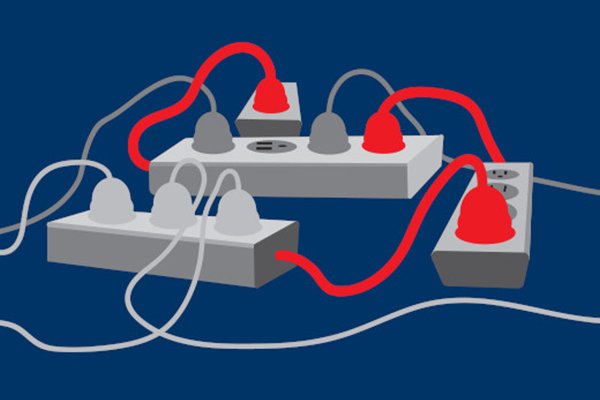
Sub-heading leading paragraph…(max 50 words)
I use one rule: Watts = Volts × Amps. The label on the strip tells you the amperes4 and voltage5 it’s built for. Do the quick math, then leave margin.
Sub-heading Snippet paragraph…
Europe/UK strips are often 10–13 A at ~230 V (≈2,300–3,000 W). US/Canada strips are usually 15 A at 120 V (≈1,800 W). Add all connected device watts1 and keep the total under ~70–80% of the strip’s rating for continuous use. If you’re close to the limit, unplug or move a load.
Dive deeper paragraph…(At least 200 words. Provide detailed info, examples, and analysis on the sub-heading. Expand the snippet, offer insights, and help readers critical thinking for the topic from various angles. Include line breaks for readability. Add H3 headings when diving deeper into the topic(but avoid make conclusion since it’s a sub-heading).
Try to add md format tables)
The math you actually need
Every strip has a rating plate. In the EU/UK you’ll commonly see 10 A 250 V~ (≈2,500 W) or 13 A 250 V~ (≈3,250 W for the plug, though many bars cap around 3,000 W). In the US/Canada, 15 A 125 V~ equates to 1,875 W maximum. That number is a ceiling, not a target—continuous load6s should sit 20–30% lower to keep temperatures down and allow for startup surges.
Continuous vs. intermittent loads
PCs and monitors draw fairly steady power; kettles and hair dryers are short, heavy bursts. Inductive loads (mini-fridges, pumps) have inrush current several times their running watts1. Even if the arithmetic fits, the breaker may trip during startup spikes.
Quick reference table
| Region | Typical Strip Rating | Max Watts (theoretical) | Safer Continuous Target (≈75%) |
|---|---|---|---|
| EU (10 A @ 230–250 V) | 10 A | ~2,300–2,500 W | ~1,700–1,900 W |
| UK (13 A fused plug @ 230–250 V) | 13 A | ~3,000–3,250 W | ~2,250–2,450 W |
| US/CA (15 A @ 120–125 V) | 15 A | ~1,800–1,875 W | ~1,350–1,400 W |
Practical example
My study desk (EU 230 V): Laptop PSU 90 W, monitor 60 W, lamp 10 W, speakers 20 W, phone charger 20 W → 200 W total. On a 10 A strip (2,300 W max), I’m at ~9%—well within limits. If I add a 1,800 W heater to the same bar, I’d smash through the safe margin; that belongs in a wall outlet.
Common Household Devices and Their Power Consumption

Sub-heading leading paragraph…(max 50 words)
Knowing typical wattage keeps you honest. Labels and manuals beat guesses, but this cheat sheet covers the usual suspects.
Sub-heading Snippet paragraph…
Most IT and AV gear sip power (20–250 W each), while heating appliances guzzle (1,000–2,400 W). Mix many sippers on a surge-protected strip; send any single guzzler straight to the wall. When in doubt, read the rating plate or use a plug-in watt meter7 to verify.
Dive deeper paragraph…(At least 200 words. Provide detailed info, examples, and analysis on the sub-heading. Expand the snippet, offer insights, and help readers critical thinking for the topic from various angles. Add H3 headings; include tables.)
Typical wattage ranges (real-world)
Remember: models vary, and peak/inrush can be higher than “rated”.
| Device | Typical Watts | Notes |
|---|---|---|
| Phone charger (USB-C) | 5–30 W | PD fast charge spikes higher briefly |
| Laptop charger | 45–100 W | Gaming laptops 180–300 W (use wall or high-capacity strip) |
| LCD/LED monitor (24–32") | 20–60 W | Larger HDR panels 80–120 W |
| Desktop PC (office) | 100–250 W | Gaming rigs 400–800 W peak |
| Router/Modem | 10–25 W | Continuous load |
| Speakers/DAC | 10–60 W | Peaks may be higher |
| Desk lamp (LED) | 5–15 W | Halogen much higher |
| Mini-fridge | 60–120 W run / 300–600 W start | Prefer wall outlet |
| Microwave | 1,000–1,500 W | Wall only |
| Space heater | 1,500–2,400 W | Wall only |
| Hair dryer | 1,200–1,800 W | Wall only |
| Kettle/Iron | 1,800–2,400 W | Wall only |
Building a safe “mix”
A desk cluster (PC 300 W + monitor 60 W + speakers 20 W + chargers 60 W) totals 440 W—fine on any standard strip with surge and overload protection8. A media corner (TV 120 W + console 200 W + soundbar 50 W + set-top 20 W) ≈ 390 W—again fine. Add a 1,500 W heater to either setup and you’ve jumped to unsafe territory for a shared strip.
Signs You’re Overloading Your Power Strip
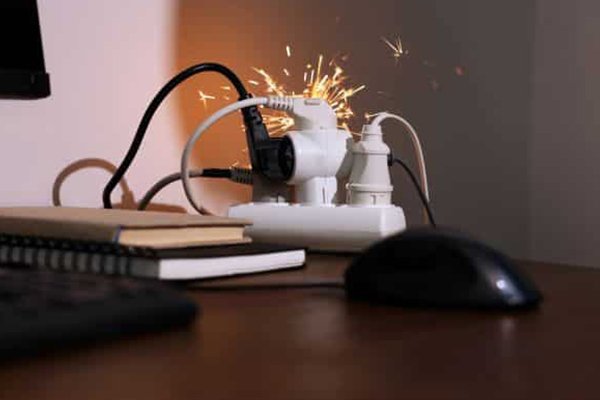
Sub-heading leading paragraph…(max 50 words)
Strips don’t always shout when they’re stressed—sometimes they whisper. Listen for these hints and act fast.
Sub-heading Snippet paragraph…
Warm or soft housings, recurring breaker trips, dimming lights when devices start, buzzing, or a “burnt” smell are overload red flags. Unplug immediately, move heavy loads to a wall outlet, and reassess the total wattage. Replace any strip that shows heat damage or a failed protection light.
Dive deeper paragraph…(At least 200 words. Provide detailed info, examples, and analysis on the sub-heading. Expand the snippet, offer insights, and help readers critical thinking for the topic from various angles. Add H3 headings; include tables.)
What overload looks and feels like
- Temperature rise: Light warmth can be normal under load; hot to the touch is not. Heat at the plug, cord entry, or sockets means high resistance—often from loose contacts or too much current.
- Nuisance tripping: Repeated breaker resets signal you’re at (or beyond) the limit or an appliance has high inrush.
- Audible clues: Buzzing/humming near the switch or sockets suggests stressed components or poor contacts.
- Visual/smell cues: Discolouration, warping, or a sharp “electrical” smell requires immediate retirement of the strip.
Quick diagnostic table
| Symptom | Likely Cause | Action |
|---|---|---|
| Strip feels hot | Overload or poor contact pressure | Unplug, reduce load, replace if heat marks present |
| Breaker trips often | Over-current or inrush from appliances | Move high-watt/inrush loads to wall outlet |
| “Protected” LED off (surge models) | MOV end-of-life | Replace the surge protector |
| Buzzing/hum | Loose plug, EMI filter strain, overload | Reseat plugs; reduce load; replace if persists |
| Scorch marks/odour | Internal damage | Retire immediately; do not reuse |
The “never do” list
- No daisy-chain3s (strip-into-strip).
- Don’t coil the cord under carpets (heat builds up).
- Don’t exceed the amp rating even if sockets are empty—sockets count ≠ capacity.
Choosing a Safe Power Strip: Quality, Certification, and Design
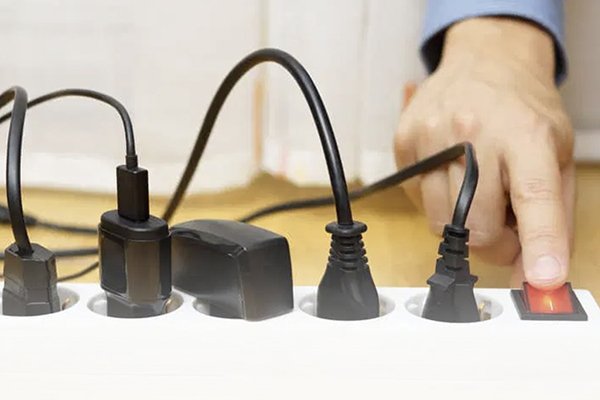
Sub-heading leading paragraph…(max 50 words)
I look for build quality first, then protection, then layout. If the numbers and paperwork are clear, it goes in my cart.
Sub-heading Snippet paragraph…
Pick a strip with a resettable overload breaker9, flame-retardant housing10, firm socket grip, and—if you need it—surge protection11 with a visible “Protected” light and a stated joule rating12 (≥1,000 J for desks). Verify region-correct certification: CE/UKCA (EU/UK) or UL/ETL (US/CA), plus RoHS materials.
Dive deeper paragraph…(At least 200 words. Provide detailed info, examples, and analysis on the sub-heading. Expand the snippet, offer insights, and help readers critical thinking for the topic from various angles. Add H3 headings; include tables.)
Safety stack that matters
- Overload protection: A resettable breaker prevents silent overheating when someone adds “just one more thing.”
- Surge protection: If you’re protecting electronics, look for a joule rating12 (1,000–3,000 J depending on risk) and a thermal disconnect on the MOV so it fails safe.
- Materials & construction: Housings advertised as UL94 V-0 (or equivalent) resist ignition; tight contact pressure in sockets keeps temperatures down.
Layout & everyday usability
Wide-spaced outlets accommodate chunky bricks; a flat/angled wall plug sits behind furniture; 1.8–2.5 m cords actually reach; keyhole mounts make under-desk installs tidy and kid-safe. If you want charging, pick a model with USB-C PD and a clear power map (per-port vs shared watts1).
Certification quick check
| Market | Safety Mark | Notes |
|---|---|---|
| EU/UK | CE / UKCA | With DoC, EMC, and RoHS/REACH; shuttered outlets in many EU models |
| US/CA | UL / ETL | Look for SPD listing on surge models; FCC for smart Wi-Fi versions |
| AU/NZ | RCM | Safety + EMC combo mark |
Pro tip: Replace surge protectors every few years under heavy use, or immediately if the Protected light goes out. MOVs degrade with each hit.
Conclusion
Count watts1, not sockets. Keep total load under ~75% of the strip’s rating, avoid high-watt appliances13 on strips, and choose certified, well-built units with overload (and surge, if needed). Safer power = longer-lived gear and calmer days.
-
Learn how wattage impacts the safety and efficiency of your power strip. ↩ ↩ ↩ ↩ ↩ ↩
-
Understanding the basics of power strips can help you use them safely and effectively. ↩
-
Find out why daisy-chaining can lead to serious electrical hazards. ↩ ↩
-
Discover the significance of amperes in determining the load capacity of power strips. ↩
-
Understanding voltage is crucial for safe power strip usage and preventing overloads. ↩
-
Learn about continuous loads to ensure safe usage of your power strip. ↩
-
Find out how a plug-in watt meter can help you monitor device usage. ↩
-
Understanding overload protection can help you choose safer power strips. ↩
-
Learn how resettable overload breakers enhance safety in power strips. ↩
-
Discover how flame-retardant materials contribute to the safety of power strips. ↩
-
Explore the importance of surge protection to safeguard your devices. ↩
-
Understanding joule ratings can help you choose the right surge protector. ↩ ↩
-
Learn why high-watt appliances should avoid power strips for safety. ↩