
How to Test If Your Power Strip Has Surge Protection Built In
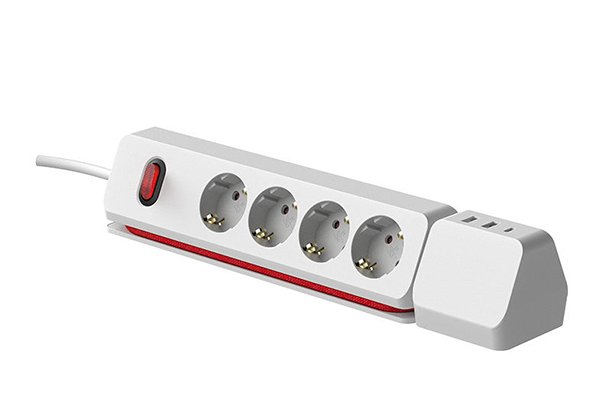
I used to think all power strips had surge protection1—until I lost a laptop to a power surge2. That’s when I realized: if your power strip isn’t built to protect, it’s just an overloaded plug waiting to happen.
To check if your power strip has surge protection1, look for features like a surge indicator light3, joule rating4 on the label, or UL/CE certification5 for surge protection1. You can also test it using a surge protector tester6 or confirm it with the manufacturer.
Now I always double-check before plugging in anything valuable. Here’s how you can too.
What Is Surge Protection and Why Does It Matter?
If you’ve ever seen lights flicker during a thunderstorm or when a heavy appliance kicks on, you’ve witnessed a power surge2.
Surge protection is a built-in safeguard in certain power strips that absorbs and diverts excess voltage caused by surges, preventing damage to electronics like laptops, TVs, and routers.
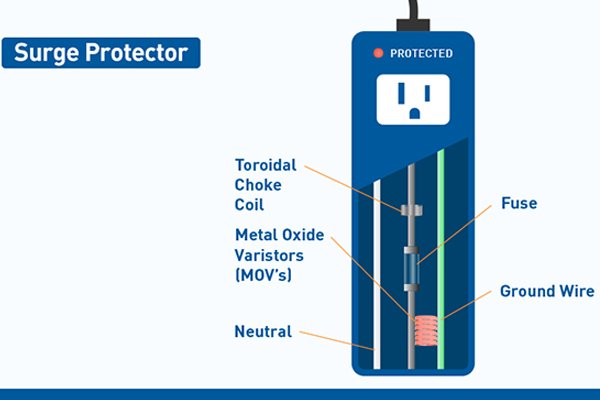
How Surges Happen
- Lightning strikes nearby
- Power grid switching
- Faulty wiring or overloaded circuits
A surge may last less than a second—but that’s enough to fry your electronics. That’s why surge protection1 isn’t just nice to have. It’s essential.
Key Features That Indicate a Surge Protector
You don’t need to be an electrician to spot the difference between a basic power strip and a surge-protected one.
Look for these signs that indicate built-in surge protection1:
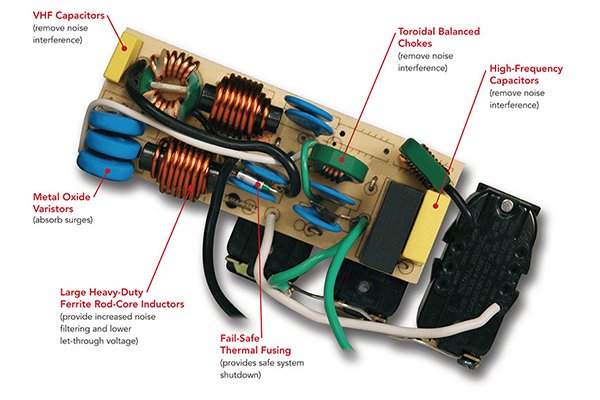
What to Check:
| Feature | What It Tells You |
|---|---|
| Surge Protection Label | Look for “Surge Protected” or similar wording |
| Joule Rating | Must list energy rating (e.g., 900J, 1200J) |
| Surge Indicator Light | Usually a green or red LED labeled “Protected” |
| Certifications | UL 1449, CE (with surge clause), or ETL mark |
| Reset Button | Some include circuit breakers for safety |
If the label says “Extension Socket” with no joule rating4 or LED indicator, it’s likely not offering any real protection.
How to Test Your Power Strip for Surge Protection
Even if a power strip claims surge protection1, how do you know it still works? Especially if it’s been used for years?
The simplest way is to check the surge protection1 light. If it’s off—or there isn’t one—you can test it with a dedicated surge protector tester6 or multimeter.
Test Methods:
-
Visual Check
- Is the “protected” LED on? If not, the protection may have worn out.
-
Surge Protector Tester
- Plug it in. It’ll tell you if protection is active. These testers cost under $20 and are worth keeping in your toolkit.
-
Multimeter Inspection (for advanced users)
- Check for continuity across MOV components (not recommended unless you’re experienced).
| Test Type | Tool Needed | Result Interpretation |
|---|---|---|
| LED Status Check | None | ON = protected, OFF = surge failure |
| Tester Device | Surge protector tester | Lights up = protection active |
| Manual Electrical Test | Multimeter | Only if you know what you’re doing |
A worn-out surge protector will keep working like a regular strip—but it’ll no longer protect you. That’s the hidden danger.
Common Misconceptions About Surge-Protected Power Strips
Over the years, I’ve heard some common myths from friends, clients, and even store clerks. Let’s clear them up.
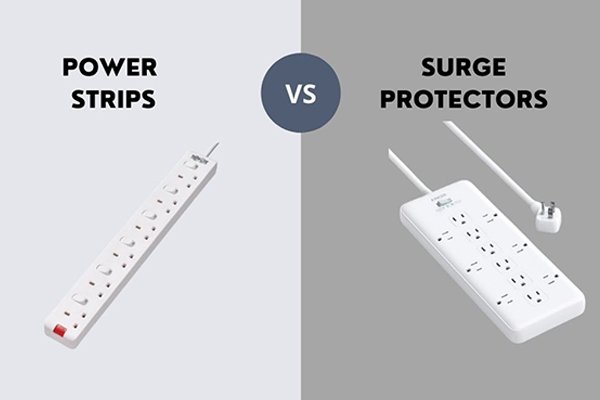
Not every power strip is a surge protector. And even the ones that are don’t last forever.
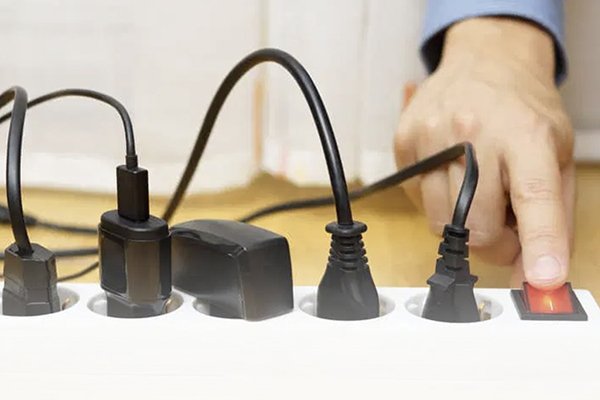
Myth vs. Truth:
| Misconception | Reality |
|---|---|
| “All power strips have surge protection1” | Most are just extension cords |
| “If it turns on, it’s still protecting” | Surge protection may be gone |
| “A metal case means better protection” | It’s about what’s inside, not outside |
| “UL or CE logo = surge protected” | Only if the certification covers surges |
Many people also believe you can daisy-chain surge protectors7 for more protection—but that’s unsafe and often violates code.
Conclusion
Don’t wait for a blown fuse or fried laptop to realize your power strip was just a hollow shell. Look for the surge light. Check the specs. Test it. Surge protection might not be exciting—but losing your expensive gear definitely isn’t worth the risk.
-
Understanding surge protection is crucial for safeguarding your electronics from unexpected power surges. ↩ ↩ ↩ ↩ ↩ ↩ ↩ ↩
-
Understanding the causes of power surges can help you take preventive measures to protect your electronics. ↩ ↩
-
Discover the significance of a surge indicator light in ensuring your devices are protected from power surges. ↩
-
Learn how joule ratings indicate the energy absorption capacity of surge protectors, helping you choose the right one. ↩ ↩
-
Explore the importance of UL/CE certification in ensuring the safety and effectiveness of surge protectors. ↩
-
Find out how to effectively use a surge protector tester to check if your power strip is functioning properly. ↩ ↩
-
Learn why daisy-chaining surge protectors can be dangerous and what safer alternatives exist. ↩