
Can I Plug One Power Strip into Another? Electrical Safety Explained
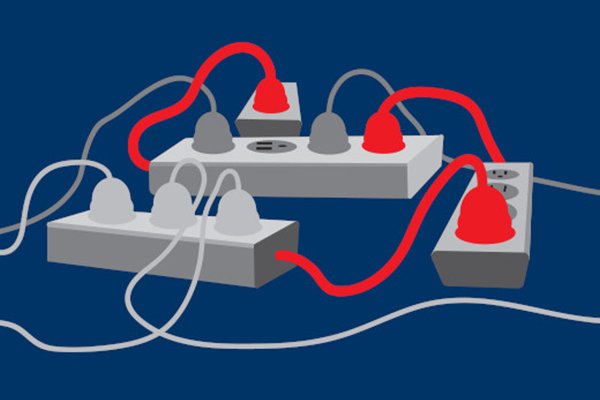
We’ve all had that moment—you run out of wall outlets and think, “What if I just plug another power strip into this one?” Seems harmless, right? Not quite.
Plugging one power strip into another—called "daisy-chaining1"—is a major fire hazard2 and often violates electrical safety codes3. It overloads circuits, increases heat, and puts your home or office at risk.
If you’re trying to safely power multiple devices, here’s what you really need to know before connecting strip to strip.
What Happens When You Daisy-Chain Power Strips?
At first glance, it seems like a simple way to expand your outlet count. But there’s a hidden danger in chaining power strips together.
Daisy-chaining power strips multiplies the electrical load on a single wall outlet, which can lead to overheating, circuit failure4, or even electrical fires.
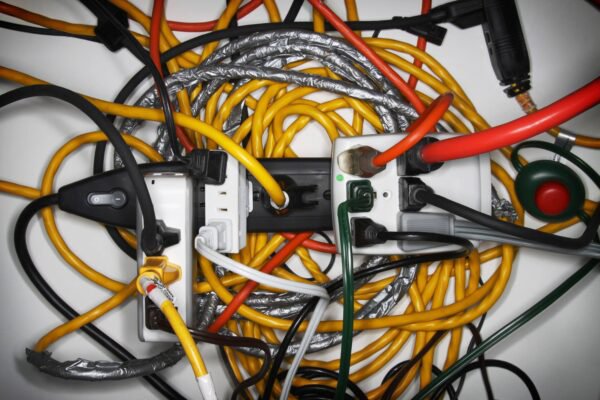
Here’s What’s Really Going On:
- You’re stacking the wattage of multiple devices on one circuit.
- Heat builds up fast—especially inside budget or low-quality strips.
- There’s no breaker to stop overload once it begins.
| Action | Risk Level | Explanation |
|---|---|---|
| One strip into another | 🔥 Very High | Overloads current limit on wall outlet |
| Strip + high-watt device | ⚠️ High | No surge protection = device damage/fire |
| Long-term daisy-chaining1 | 🚫 Dangerous | Causes insulation breakdown and heat buildup |
If a breaker doesn’t trip in time, the wiring behind your wall could suffer—and that’s a hidden fire risk you can’t afford.
Fire Hazards and Electrical Code Violations You Should Know
It’s not just a bad idea—it’s usually against the rules.
According to U.S. OSHA guidelines and many EU electrical codes, daisy-chaining1 power strips is a direct code violation in workplaces and commercial spaces.
Why It’s So Risky:
- Each strip has a limited amp rating5—usually 10A or 15A.
- You can’t “add” capacity by connecting multiple strips.
- Wires and plastic housings aren’t made to handle the heat of combined loads.
- Fire departments warn against it in homes, offices, and schools.
| Country/Region | Common Regulation |
|---|---|
| USA (OSHA) | Daisy-chaining prohibited in workplaces |
| EU Electrical Code | Only one strip per outlet permitted |
| UK Safety Law | Encourages fused extension bars only |
If fire inspectors or insurance investigators find daisy-chained strips after an incident, claims may even be denied.
Safer Alternatives to Expanding Your Outlet Capacity
The good news? There are better, safer ways to get more outlets—without playing with fire.
Instead of daisy-chaining1, upgrade to a higher-quality power strip with more outlets, or use a surge protector6 with proper load handling. Better yet, install wall outlets with USB ports or talk to an electrician about additional circuits.

Safer Options:
- Power strips with built-in circuit breakers
- Wall taps or outlet extenders (certified only)
- Multi-outlet surge protector6s with USB-C or PD ports
- Heavy-duty power strips with metal housing for workshops
| Alternative | Why It’s Safer |
|---|---|
| Certified surge protector6 | Auto shutoff on overload |
| Dedicated multi-outlet bar | Designed for multiple devices |
| Split circuit solution | Separates high-wattage appliances |
Avoid plastic, cheap-looking power strips with no labeling. Look for CE, UL, or ETL certification as a sign of reliable manufacturing.
How to Choose the Right Power Strip for High-Demand Devices
Not all power strips are built the same. If you’re powering gaming setups, tools, or office tech—you’ll need something a bit stronger.
The right power strip should match the load of your devices and have built-in protections like surge protection, overload switch7, and grounding.
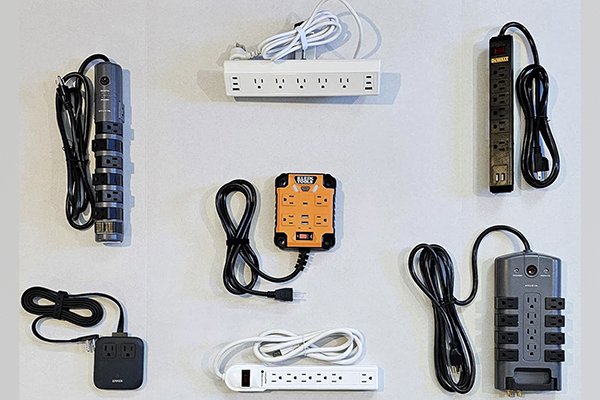
Features to Look For:
- Amperage Rating: 10A or 15A minimum
- Surge Protection: Especially for laptops, PCs, and routers
- Overload Switch: Cuts power if current exceeds safe limits
- Fire-Retardant Housing: ABS or PC plastic is better than no-name ones
- Cord Gauge: For heavy loads, use a strip with 14AWG or thicker cables
| Device Type | Wattage Range | Suggested Power Strip Type |
|---|---|---|
| PC + Monitor | 300–800W | Surge protector, 15A rated |
| Workshop Tools | 800–2,000W | Heavy-duty with metal housing |
| TV + Sound System | 250–600W | 6-outlet strip with EMI filter |
| Kitchen Appliances | 1,000–1,500W | Plug directly into wall |
At How-dy, we manufacture CE-certified power strips tailored for DIY markets and high-use applications—so buyers like you can avoid these risks altogether.
Conclusion
So, can you plug one power strip into another? Technically, yes. But should you? Absolutely not. Daisy-chaining is dangerous, code-breaking, and just not worth the risk. Instead, choose the right certified solution for your power needs—and stay safe with every plug.
-
Understanding the risks of daisy-chaining can help you avoid serious electrical hazards. ↩ ↩ ↩ ↩
-
Learn about fire hazards to ensure your home or office is safe from electrical fires. ↩
-
Familiarizing yourself with safety codes can prevent violations and enhance safety. ↩
-
Understanding circuit failure can help you choose safer power solutions. ↩
-
Knowing amp ratings helps you select the right power strip for your devices. ↩
-
Explore how surge protectors can safeguard your devices from power surges. ↩ ↩ ↩
-
Discover how overload switches protect your devices from excessive current. ↩